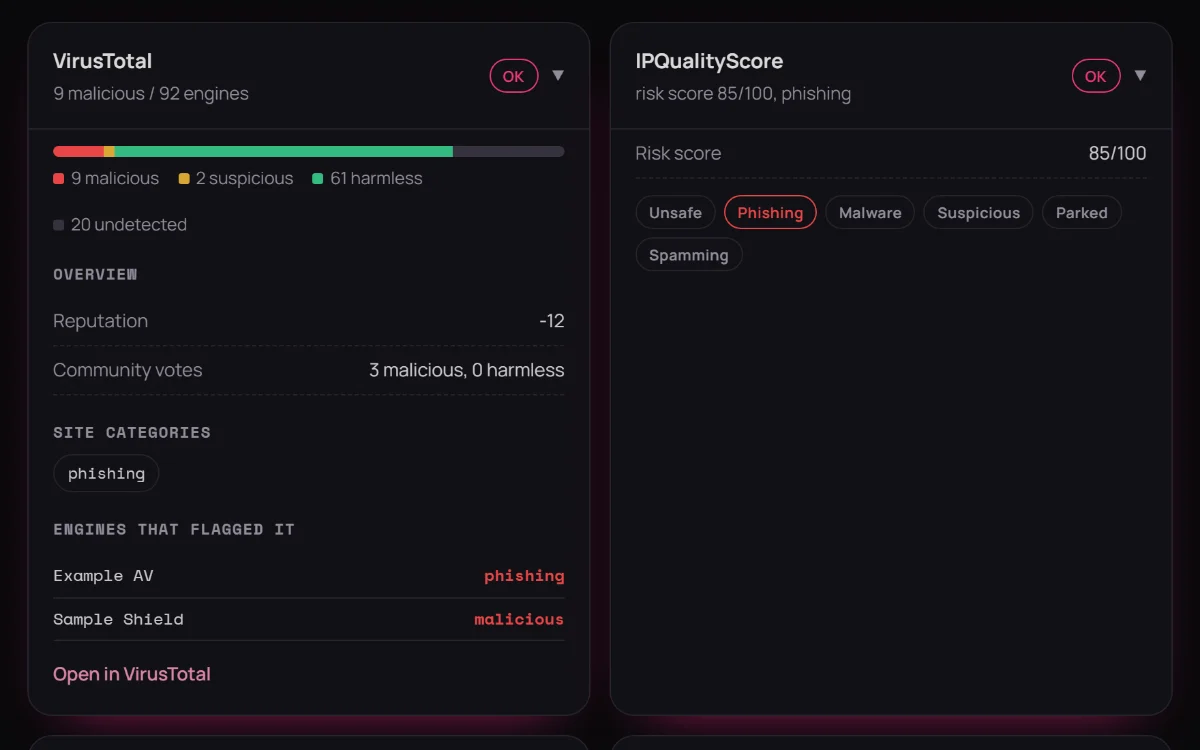
Nine sources, one search
An IP address, domain or file hash is checked against every source you've connected at once. Each source gets its own card with a clear status and a link back to its evidence.
You create a free account, then plug in your own API keys from the providers you want. Nothing is shared or pooled between users. Here's the full walkthrough.
Illustration only. Keys are added in the dashboard's Keys drawer, not a terminal.
Five steps from nothing to a working dashboard.
If you've never used one before, here's the short version.
An API key proves to a service (like VirusTotal) that a request is coming from your account, so it can apply your own usage limits and history to it. Instead of a website login, it's a long string your account generates.
Every provider DigiAsh supports has a free account tier with a real, usable API key, so you don't need to pay anything to try this out. Free tiers just come with lower rate limits.
DigiAsh encrypts your keys and never shares them with other users or pools them together. Every lookup you run uses your own account's quota on that provider, not a shared one.
Add one key and DigiAsh works immediately. Other provider cards just show "not configured" until you add more. Start with VirusTotal if you're unsure where to begin.
Short version for all nine. Each links straight to their signup page. Free plans come with the provider's own terms, most of them for non-commercial use only; see the Terms of Use.
Currently unavailable on DigiAsh: IPQualityScore refuses requests from DigiAsh's hosting provider (Cloudflare), even with a valid key.
→ Sign up at ipqualityscore.comThe 0–100 score combines evidence; it isn't an average.
Each source turns what it found into evidence, weighted by how reliable that source is. Curated feeds like abuse.ch count for more than indirect signals. Independent findings reinforce each other.
A source with no record of a target adds nothing either way. Connecting more keys can never pull a real detection down, and one strong finding is enough on its own.
Signs that a target is legitimate, such as an allow-list entry or a file a sandbox marked as safe, lower the score. A separate confidence level shows how many relevant sources answered.
Example: abuse.ch's ThreatFox lists an IP as Cobalt Strike command-and-control, and five other sources simply have no record of it. The score is 95, critical: the strong finding stands. Every report shows a “Why this score” breakdown, so you can see exactly which sources drove it.
Once your keys are in, this is what a search gives you. Every screenshot uses demo data.
An IP address, domain or file hash is checked against every source you've connected at once. Each source gets its own card with a clear status and a link back to its evidence.
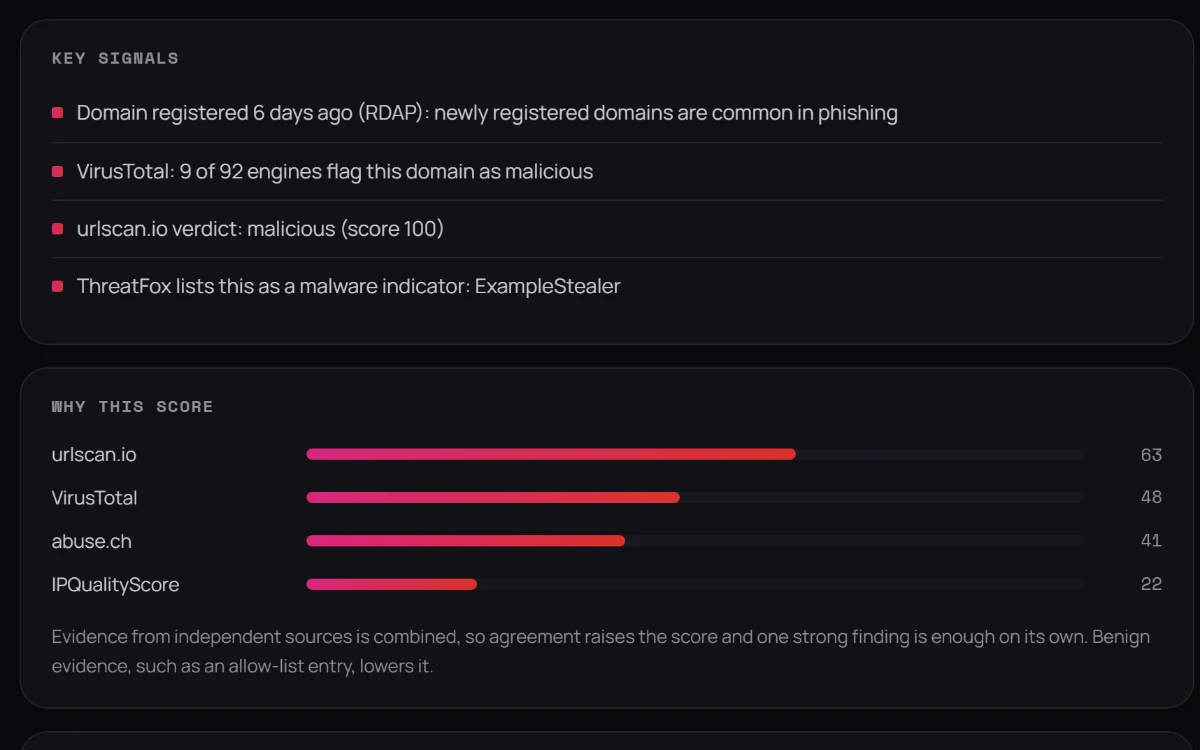
A 0–100 risk score with a confidence level, the key signals behind it and a “Why this score” breakdown of which sources drove it. The number is never a black box.
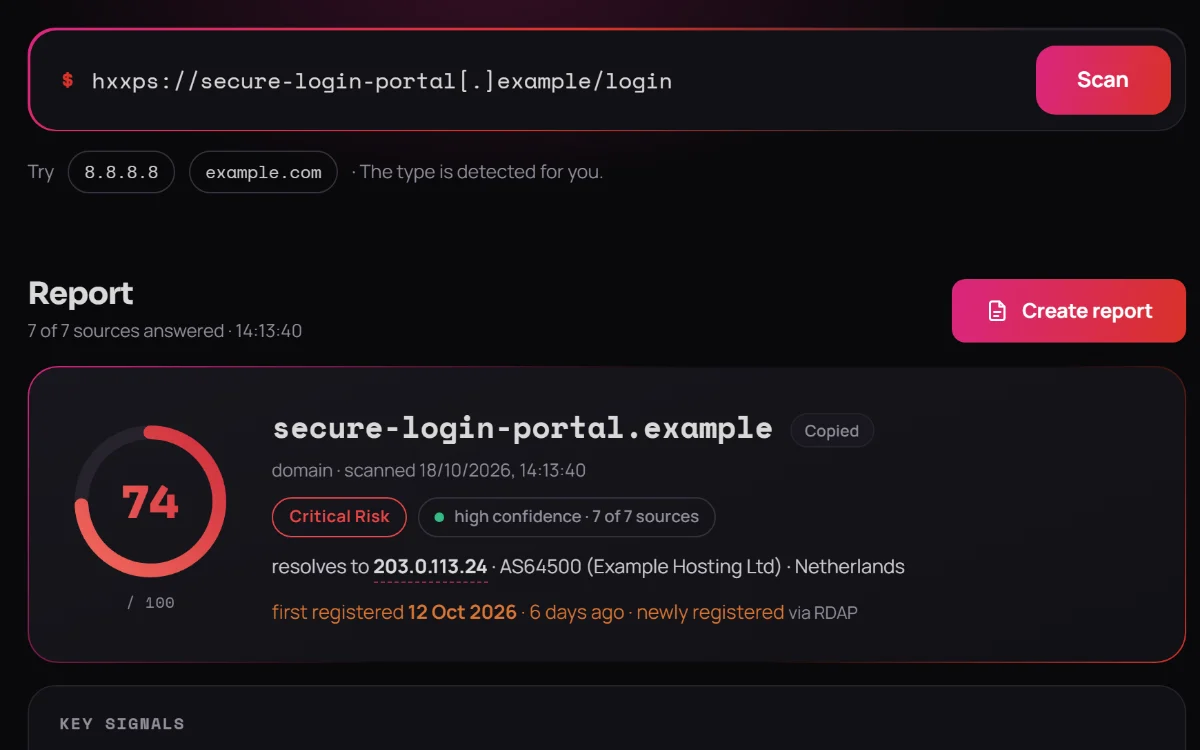
Defanged indicators such as hxxps://example[.]com, full URLs and host:port are cleaned up automatically, and any result can be copied back out in defanged form for reports.
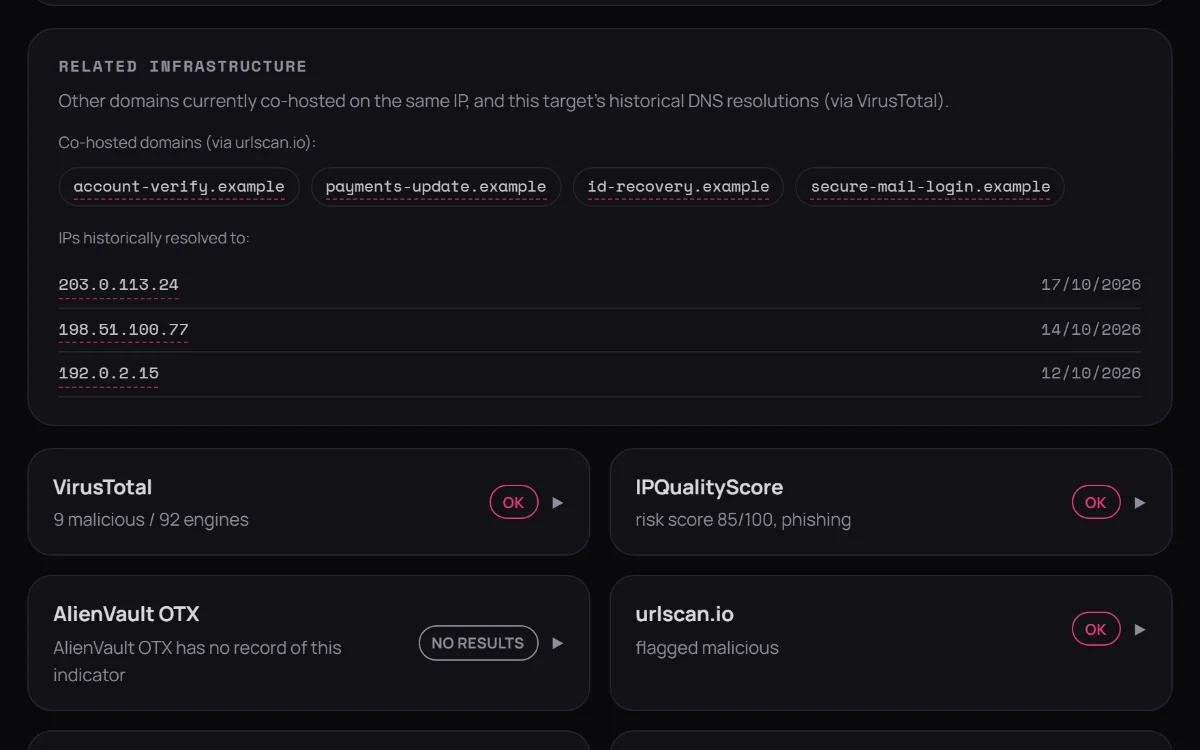
IP addresses, domains and hashes inside the results are clickable: co-hosted domains, historical DNS, nameservers. Following a lead to the next indicator takes a single click.
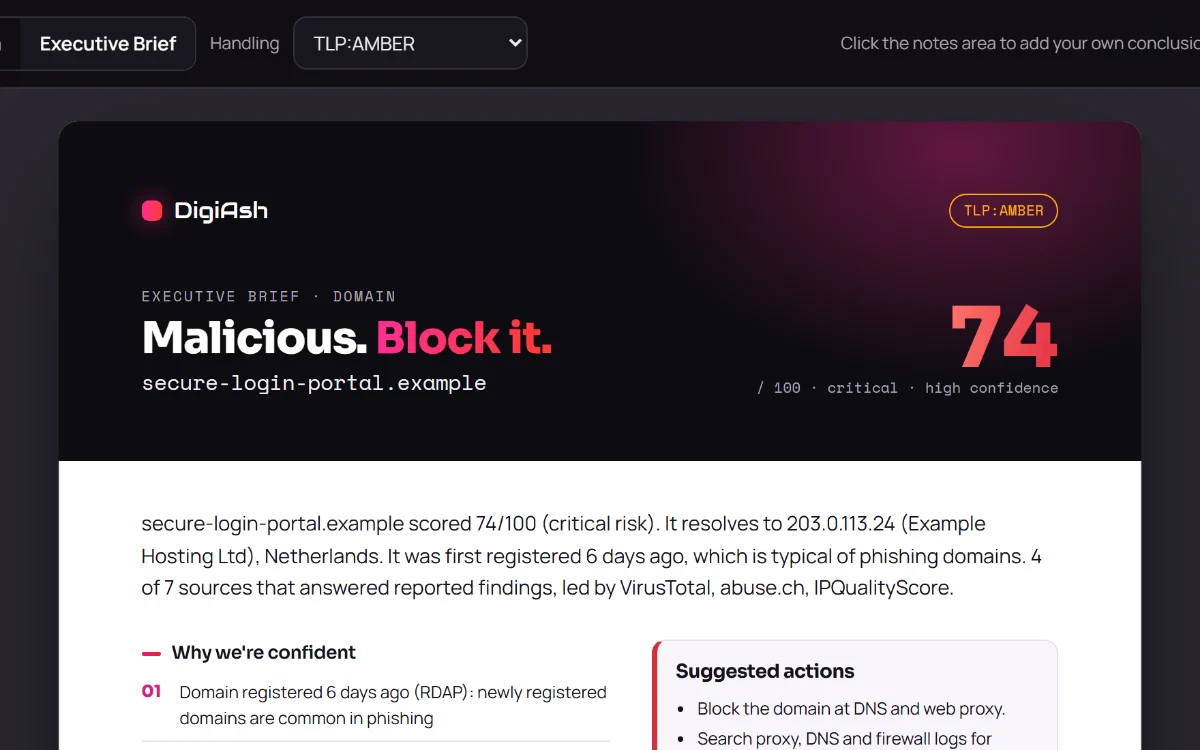
Two report layouts, a detailed Spectrum report and a one-page Executive Brief, with a handling marking and room for your own conclusions. Print them or save as PDF.
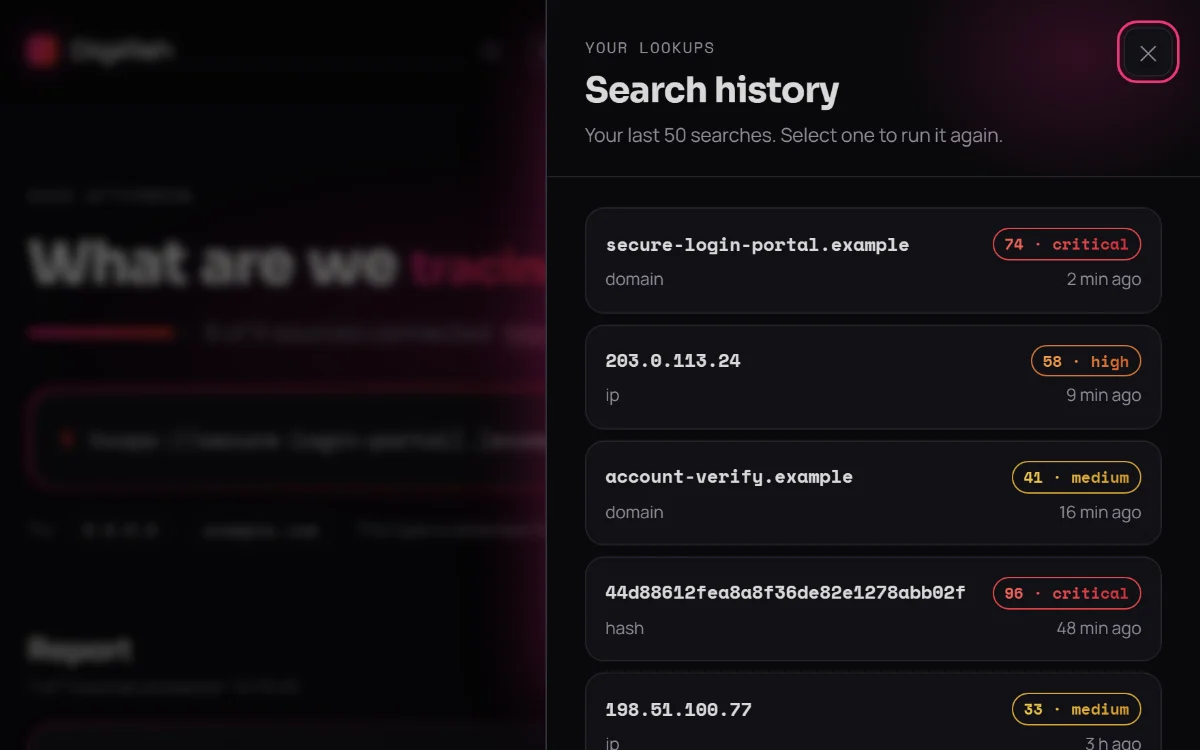
Your recent searches are a click away and run again in one click. You can download everything DigiAsh holds about you, or delete your account, at any time.